2025 Dash Cam Guide: Must-Have Features, Parking Mode, Wi-Fi & Legal Advice
Dash cam features for 2025: video quality, driver monitoring, parking mode, Wi-Fi cloud, and legal tips for safe driving.

Dash Cam Essentials in 2025
Once a niche accessory, the dash cam is now a must-have for drivers worldwide. Compact windshield-mounted devices do far more than record scenic drives. They capture critical evidence after collisions, deter vandalism, and monitor driver alertness. With rapid technology evolution, understanding key features helps you select a model that fits your budget and needs.
Video and Sensor Quality
Clarity is the foundation of any dash cam. While Full HD (1080p) remains common, many modern units offer 2K or 4K resolution for sharper license plates and road signs. Look for wide dynamic range (WDR) to handle bright sunlight and deep shadows simultaneously, and excellent low-light performance from a large-aperture lens and quality sensor. Premium models include thermal imaging to detect pedestrians or animals in complete darkness, adding an extra safety layer.
Key Specs to Check
Resolution: 1080p, 2K, or 4K
Wide dynamic range (WDR)
Low-light sensitivity and aperture size
Optional thermal imaging
Driver Monitoring and Safety
A growing number of dash cams include an interior-facing camera that tracks head position and eye movements. If the system detects drowsiness, distraction, or a wandering gaze, it issues an audible or visual alert. This proactive safety feature helps prevent accidents caused by driver inattention — one of the leading causes of crashes. It acts like a virtual co-pilot, encouraging you to stay focused or take breaks when needed.
Parking Mode and Power Management
Parking mode allows your dash cam to keep recording after you turn off the engine. It typically uses motion detection (records when something moves near the car) or a G-sensor (triggers recording on impact). This is invaluable for catching hit-and-runs, vandalism, or theft while you are away. To run parking mode continuously, you need a hardwiring kit connected to the car's fuse box, which includes a voltage cutoff to protect the battery from draining too low.
For power reliability, choose a supercapacitor over a lithium battery — supercapacitors handle extreme temperatures better. Use a high-endurance microSD card (128GB or 256GB) rated for constant read/write cycles to avoid data loss. Dash cams record in loops, overwriting old footage, so ample storage matters.
Connectivity and Cloud Features
Modern dash cams have become smart connected devices. Built-in Wi‑Fi lets you pair the camera with a smartphone app for live viewing, downloading clips, and adjusting settings without removing the memory card. Some models offer cloud upload: in the event of a significant impact, the relevant video is automatically saved online, ensuring your evidence is safe even if the camera is damaged. This seamless connectivity makes sharing footage with insurance companies or law enforcement fast and easy.
Legal Considerations and Installation
While dash cams offer clear benefits, it is important to understand the legal landscape. Rules vary by state and country, so always verify local laws before installing and using a dash cam.
Recording in Public vs. Private
Recording video on public roads is generally permissible because there is no reasonable expectation of privacy. However, if the camera captures private property such as homes or backyards, it could raise privacy concerns. Aim your dash cam primarily at the road to avoid legal issues.
Audio Recording and Consent
Many dash cams record audio inside the vehicle. Some jurisdictions require one-party or all-party consent for audio recording. To stay compliant, either inform your passengers that audio is being recorded or disable the audio function entirely.
Footage as Evidence
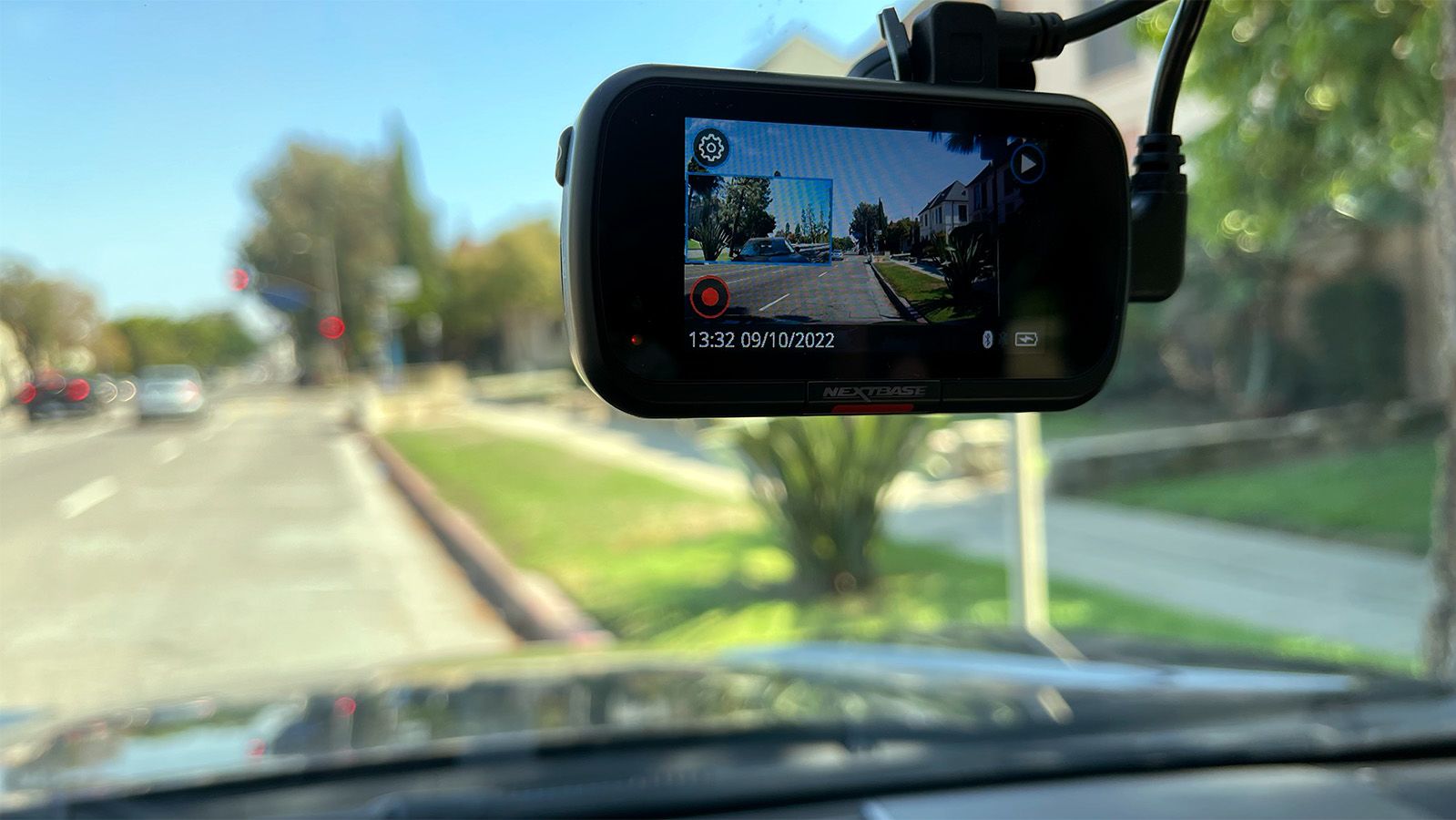
Dash cam footage can be powerful evidence in insurance claims or legal disputes. To ensure its admissibility, use a camera that automatically embeds a date and time stamp on the video. Avoid tampering with the original file, and keep a copy safe in the cloud or on a separate drive.
Installation Tips
Mounting a dash cam in a position that obstructs the driver's view is both unsafe and, in many places, illegal. Place it behind the rearview mirror or in a spot that does not block your line of sight. Also, check local regulations regarding windshield mounts, as some states restrict where objects can be attached.
Conclusion
Today's dash cams are sophisticated safety tools that go beyond simple recording. By prioritizing video quality, driver monitoring, parking mode, and smart connectivity, you can choose a model that offers peace of mind on every journey. Always pair your choice with proper installation and an awareness of legal requirements to get the full benefit without unintended consequences.