Essential Tips to Prolong Your Vacuum Cleaner’s Lifespan by Avoiding Common Mistakes
This comprehensive guide highlights essential tips to extend the lifespan of your vacuum cleaner by avoiding common mistakes. Learn how proper attachment selection, regular emptying, cautious handling of hard objects, and attention to motor safety can improve performance and save costs. Mastering these maintenance habits ensures your vacuum remains effective and durable over time, providing cleaner homes and better health for your family.

Essential Tips to Prolong Your Vacuum Cleaner’s Lifespan by Avoiding Common Mistakes
In today’s households, vacuum cleaners are indispensable for maintaining a clean and healthy environment. They efficiently remove dust, dirt, pet hair, and allergens, making daily cleaning routines more manageable. However, many users are unaware that improper use and neglecting basic maintenance can significantly reduce the lifespan of these vital appliances. Recognizing and avoiding common mistakes can not only extend the operational life of your vacuum but also enhance cleaning efficiency and save money in the long run. Properly caring for your vacuum involves understanding the correct handling of attachments, regular emptying of dust containers, safeguarding internal parts from hard objects, and being aware of potential motor issues.
Selecting Appropriate Attachments for Different Surfaces
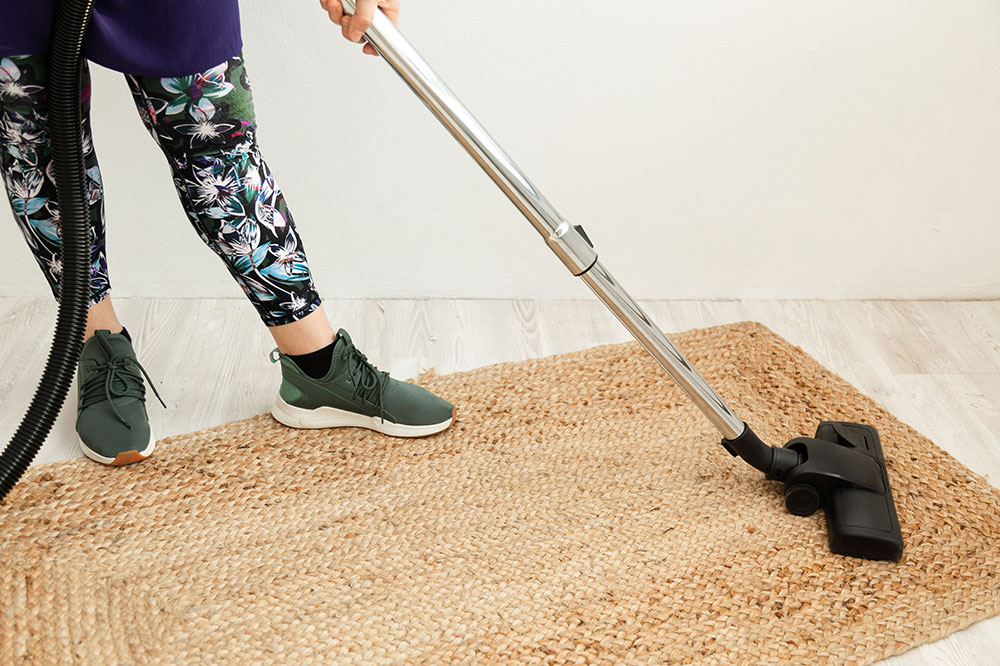
One of the fundamental aspects of vacuum maintenance is choosing the right attachment for specific cleaning tasks. Most vacuums come with an array of accessories—including crevice tools, dusting brushes, upholstery nozzles, and parquet brushes—each designed for particular surfaces or hard-to-reach areas. Using the correct attachment ensures thorough cleaning and prevents damage to surfaces.
Inappropriate use of attachments can make cleaning more difficult and could damage the tools or surfaces. For example, using a hard-floor brush on plush carpets might not result in optimal cleaning and could wear out the brush faster. Conversely, using a soft dusting brush on rough surfaces may not pick up debris effectively. Always ensure you're matching attachments to the task at hand.
Emptying the Dust Container or Bag Promptly
One of the most overlooked yet crucial maintenance steps is regularly emptying the vacuum's dust container or replacing the dust bag. Accumulated debris reduces suction power, making the vacuum work harder to clean, which can strain the motor and diminish its lifespan. Many modern vacuums are equipped with indicator lights or alerts that notify users when the dust container is full. Ignoring these prompts and delaying emptying can lead to overheating and wear of internal components. For optimal performance, make it a habit to check the dust container frequently and empty it as recommended by the manufacturer.
Avoiding Vacuuming Hard Objects
While vacuums are designed to handle dust and small debris, attempting to vacuum heavy or sharp objects such as coins, screws, or children's toys can cause severe damage inside the machine. These objects can hinder the moving parts, damage the belt or brush roll, and even break internal components. To prevent costly repairs, it’s always safer to pick up such items manually before vacuuming. Properly inspecting the floor ahead of time can save you money and ensure your vacuum remains functional and efficient for years.
Being Careful with the Power Cord
Consistently running over or pulling on the vacuum’s power cord can cause internal wire damage and increase safety hazards, including electrical shorts or fires. Moreover, damaging the cord reduces its flexibility and can lead to electrical malfunctioning. Additionally, repeatedly running over the cord with the vacuum can cause wear on the cord itself, increasing the risk of shorts and connection issues. Always be mindful of the cord's placement during cleaning sessions, ensuring it remains untangled and free of pinches or sharp pulls.
Understanding Motor Issues and Cooling Mechanisms
If your vacuum’s motor suddenly stops working or exhibits reduced power, it might not necessarily indicate a broken motor. Overheating is a common cause of motor shutdowns in vacuums. Most models are equipped with safety features that automatically cut power when internal components reach unsafe temperatures, often due to prolonged use, blockages, or an overfilled dust container. To prevent overheating, do not run the vacuum continuously for extended periods, and always clear blockages or full dust containers promptly. Regular maintenance and timely inspections can effectively prevent motor damage, saving you from costly repairs or replacements.
By adhering to these simple yet vital tips, you greatly extend the life and performance of your vacuum cleaner. Proper attachment use, timely emptying of dust containers, careful handling of hard objects, cautious management of the power cord, and understanding motor safety mechanisms are all crucial practices for optimal cleaning efficiency and appliance longevity. Investing a little time in routine maintenance not only prolongs the operational life of your vacuum but also ensures consistent, effective cleaning results, contributing to a cleaner and healthier home environment.